

Check if your contact information is correct. Link to this section
The best way for staff to update their contact information and to ensure they receive district phone, email, and text notifications is through the Frontline Employee Portal. Go to “My Information” in the portal to view your current contact information and make any updates if necessary.
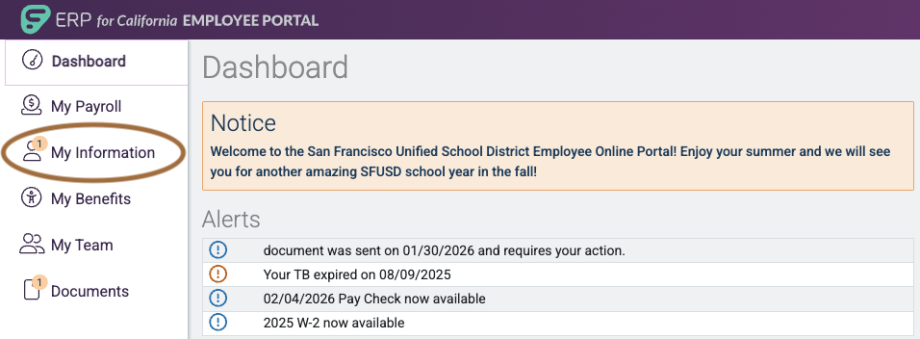
SchoolMessenger uses contact information from the Frontline Employee Portal to send districtwide notifications via phone, text, and email.
My contact information is correct, but I'm still not receiving notifications Link to this section
If you verified your contact information is correct in the Frontline Employee Portal and are still not receiving notifications:
- For text messages, you may have opted out of text messages previously. You can opt back in by texting “YES” to the number 67587 from your mobile phone.
- For emails and phone messages, please send a help desk ticket at help.sfusd.edu.
This page was last updated on February 6, 2026