

California Assembly Bill 2534 (AB2534) and Senate Bill 848 (SB848) Requests Link to this section
School districts and County Offices of Education with an AB2534 or SB848 request, please email eeverification@sfusd.edu. The general turnaround time for these requests is 4–5 business days. Please include the employee’s name and name of the school districts or County Offices of Education in the subject.
Employment and Income Verification
Link to this section
All employment and income verification requests must be submitted through a ticket to Human Resources. This includes, but is not limited to:
- Home loan applications
- Housing verification
- Mortgage applications
- Apartment rental applications
- Public Service Loan Forgiveness (PSLF)*
- Any third-party income verification request
To get started, please visit: HR and Business Services to submit a request or email eeverification@sfusd.edu
Please be advised that our standard processing time for employment and income verification is 4–5 business days from the date of receipt of the request. Any incomplete or inaccurate information may delay the verification process.
When submitting your request, please provide the following information for identity and processing purposes:
- Your first and last name as it appeared at the time of your hire with SFUSD
- Your Date of Birth (DOB) for identity verification
- Last four digits of your Social Security Number (SSN) for identity verification
- Reason for your request (e.g., applying for new district, housing, AB2534, etc.)
- E-mail address or fax number of the third-party requesting verification (if applicable)
- Third-party requester’s verification request form (if applicable)
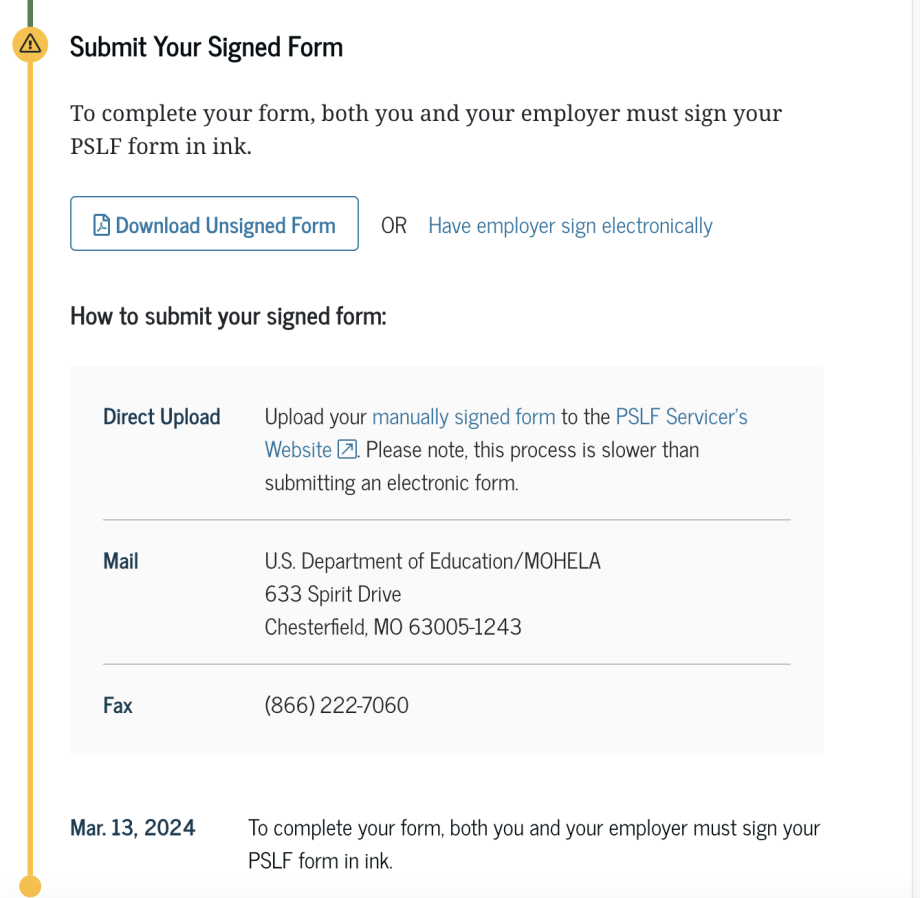
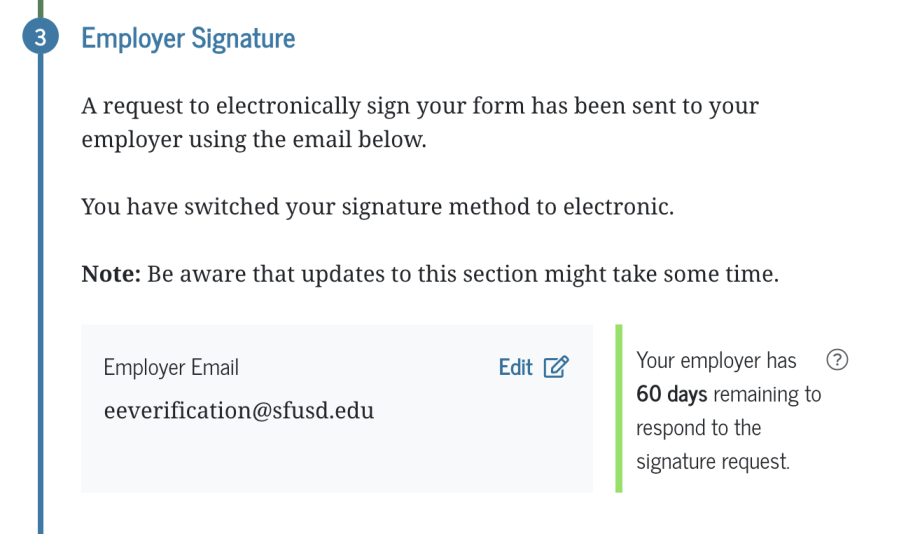
*For Public Service Loan Forgiveness forms, we recommend initiating a signature request electronically by putting eeverification@sfusd.edu as the employer:
Requests from Third Party Verifiers (e.g., school or department receives request for verification)
If your school or department receives a third-party request for verification of any current or former employee, please refer them to Human Resources at https://sfusdhrandbusinessservices.zendesk.com/hc/en-us/requests/new. In the Subject field enter 'Employee Verification'.
- Under no circumstances should your school site or department confirm, verify or provide employee information to a verifier.
This page was last updated on October 5, 2026