

Attend the 2027-2028 Enrollment Fair!
Link to this section
-
Attend the 2027-2028 Enrollment Fair!
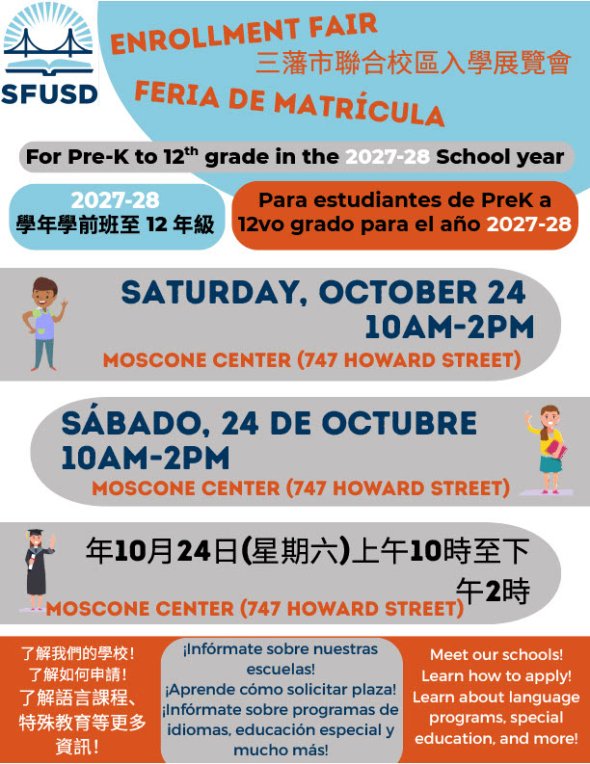
Families who will apply for PK, elementary school, middle school, or high school for the 2027-28 school year can come to the fair to learn about the application process, meet school Principals and other representatives, and access the resources provided by SFUSD and other city agencies and community organizations.
Date: Saturday, October 24, 2026
Time: 10:00 AM - 2:00 PM
Location: Moscone Center (747 Howard Street, San Francisco, CA 94103)
-

High School Applications DUE 02/01/2027 5PM
Lowell High School / SOTA School Tour Information Below Link to this section
Lowell High School / SOTA Application DUE 12/11/2026 5PM
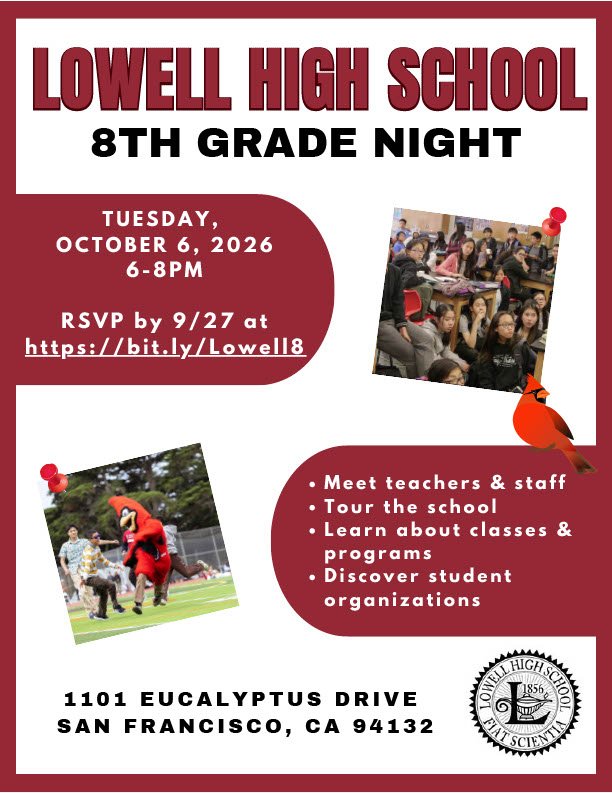
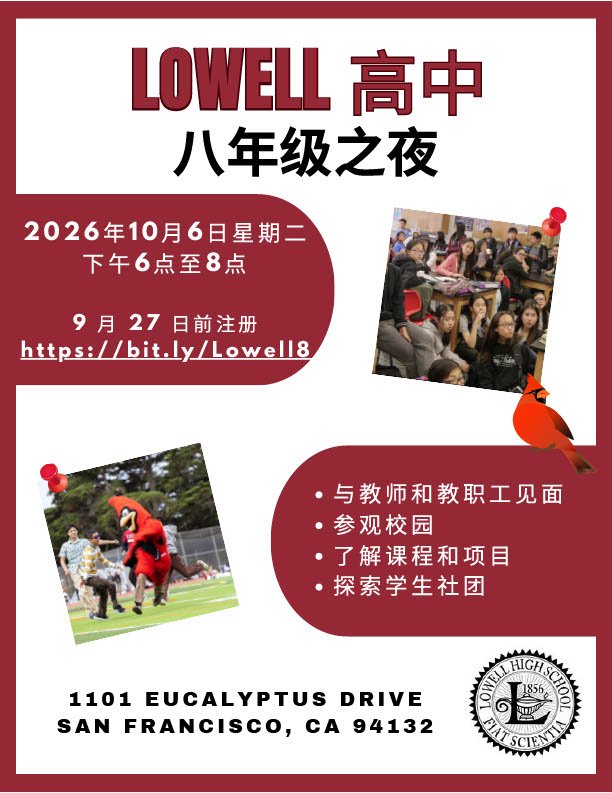
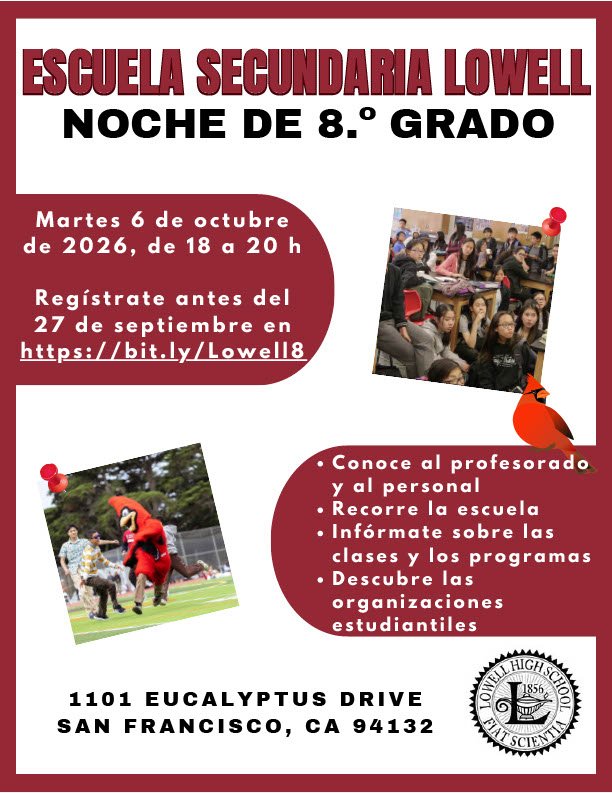



How to Get to the Online High School Form
Link to this section
-

How do I Apply for High Schools?
In order to apply for High School, your family must have an activated ParentVUE Account! More information about ParentVUE can be found by clicking the link below!
How to Get to the Online High School Form Link to this section
If you have a ParentVUE account, follow the steps below to start your online application. If you need help accessing ParentVUE, please email onlineapps@sfusd.edu.
- On your web browser, enter portal.sfusd.edu. Click ParentVUE >.
- Enter your ParentVUE username and password. Click Login.
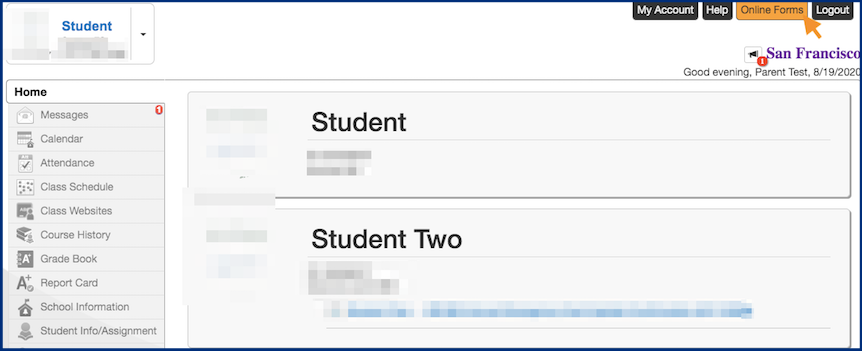
Click "Online Forms" on the upper right hand corner of the screen.
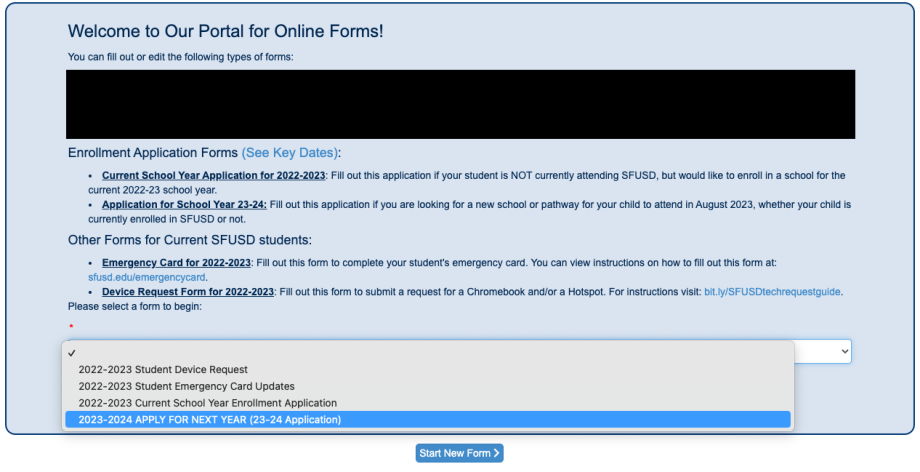
- Choose SFUSD Application for 2023-24 in the dropdown menu and click "Start New Application".
SFUSD High School Introductions Link to this section
This page was last updated on September 21, 2026