

Introduction Link to this section
General Support for Questions or Issues
- Check out SFUSD Resources for Red Rover and Frontline Employee Portal
- Department of Technology - Help Desk (help@sfusd.edu)
- Call Center: 628-900-0901 (available now)
- Zendesk Ticket Submission
Your Frontline Pay Stub Explained Link to this section
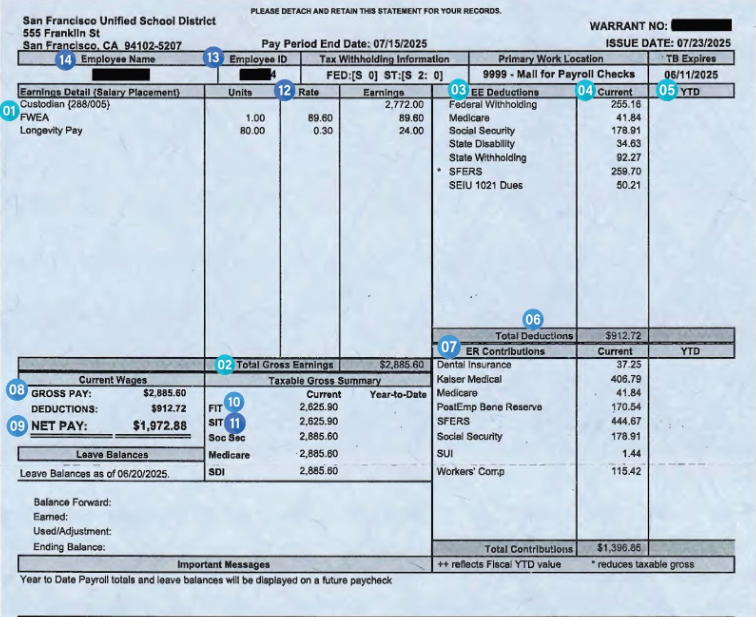
Here's an example of your new pay stub. The numbered key defines each section, allowing you to compare it to your old pay stub, below.
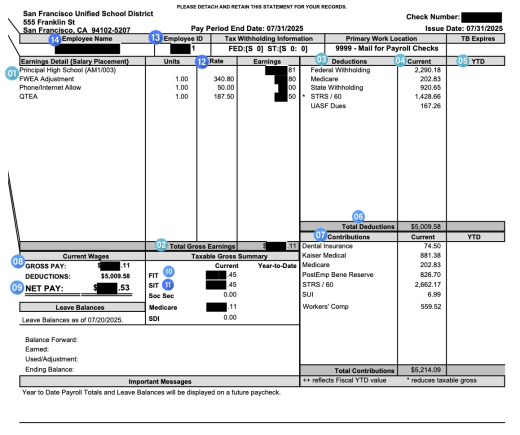
| 1. Earnings detail and salary placement. Time data, pay premiums and add-ons. Note: Salary line will include: paid holidays and paid absences. 2. Total Gross Earnings 3. Employee Deductions: subtractions from your gross pay (total earnings) that contribute to your net pay (take-home pay). 4. Current amount of Employee Deductions 5. Year to Date total of Employee Deductions 6. Total Employee Deductions for this paycheck 7. Employer Paid Contributions (this amount is not deducted from your check) | 8. Gross Pay: total amount earned before any deductions 9. Net Pay: total amount paid after employee deductions 10. Federal Income Tax: The amount that the Federal Government considers taxable based on your earnings 11. State Income Tax: The amount the state government considers taxable based on your earnings 12. Rate of Earnings 13. Employee ID 14. Employee Name and Address |
Certificated Administrator Check Sample (Using the same key as above): Link to this section
End User Support Plan Link to this section
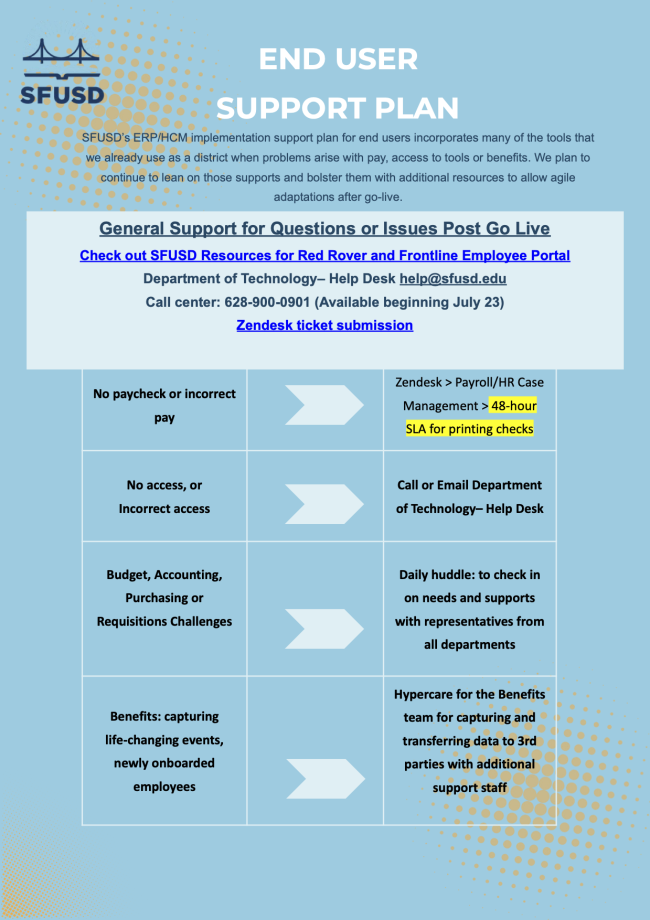
SFUSD's ERP/HCM implementation support plan for end users incorporates many of the tools that we already use as a district when problems arise with pay, access to tools or benefits. We plan to continue to lean on those supports and bolster them with additional resources to allow agile adaptations after go-live.
Issue Link to this section | Support Plan for Issue Link to this section | |
| No paycheck or incorrect pay | > | Zendesk > Payroll/HR Case Management > 48-hour service-level agreement for printing checks |
| No access, or incorrect access | > | Call 628-900-0901 or Email Department of Technology - Help Desk |
| Budget, Accounting, Purchasing, or Requisitions Challenges | > | Daily Huddle: to check in on needs and supports with representatives from all departments |
| Benefits: capturing life-changing events, newly onboarded employees | > | Hypercare for the Benefits team for capturing and transferring data to third parties with additional support staff |
This page was last updated on August 19, 2025