

View Documents and Assignment Letters in ParentVUE Link to this section
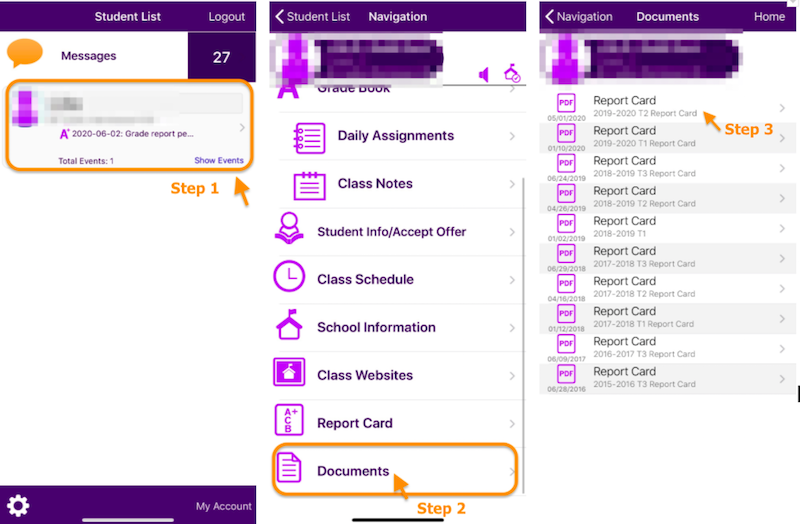
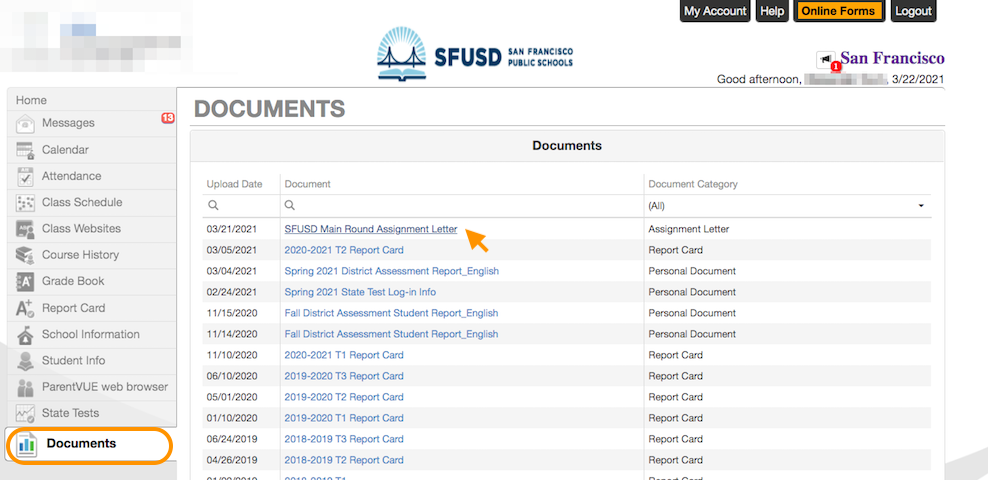
To see your student's documents such as Main Round assignment letters, report cards, district assessment student reports, and English Learner (EL) Notification Letters in the Family Portal (ParentVUE), click on the Documents tab and download the document in PDF. If you have multiple students, remember to select the specific student you want to download the document for.
Mobile App Link to this section
Web Browser Link to this section
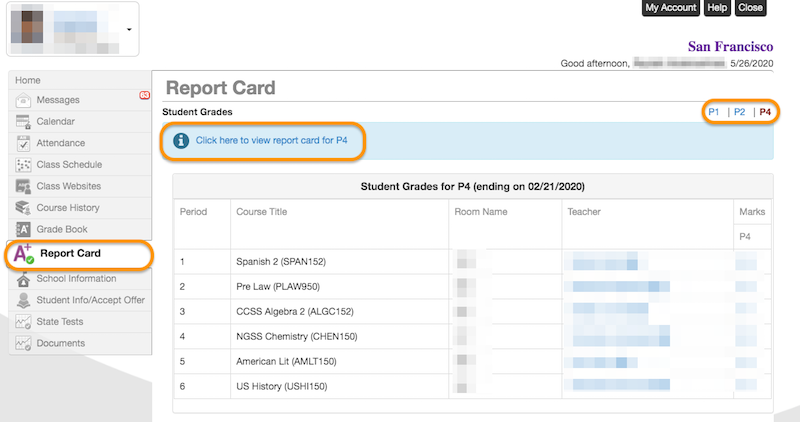
Note: for secondary students, the Report Card is also available in the Report Card tab.
This page was last updated on November 5, 2026